On-page SEO
Our own tests of the page's content signals and site files.
- Title, description and headings
- Alt text and word count
- Canonical, schema and Open Graph

The SEO audit tool runs Google Lighthouse on the mobile version of your page, then adds our own on-page tests. You get five separate scores and a list of findings.
Our own tests of the page's content signals and site files.
Lighthouse's SEO audits on whether Google can crawl and understand the page.
Lighthouse's performance score, metrics and improvement opportunities.
Lighthouse checks for problems that make a page harder for some people to use.
Lighthouse checks for general quality and security issues on the page.
Everything in one place, with a copy sent to your inbox.
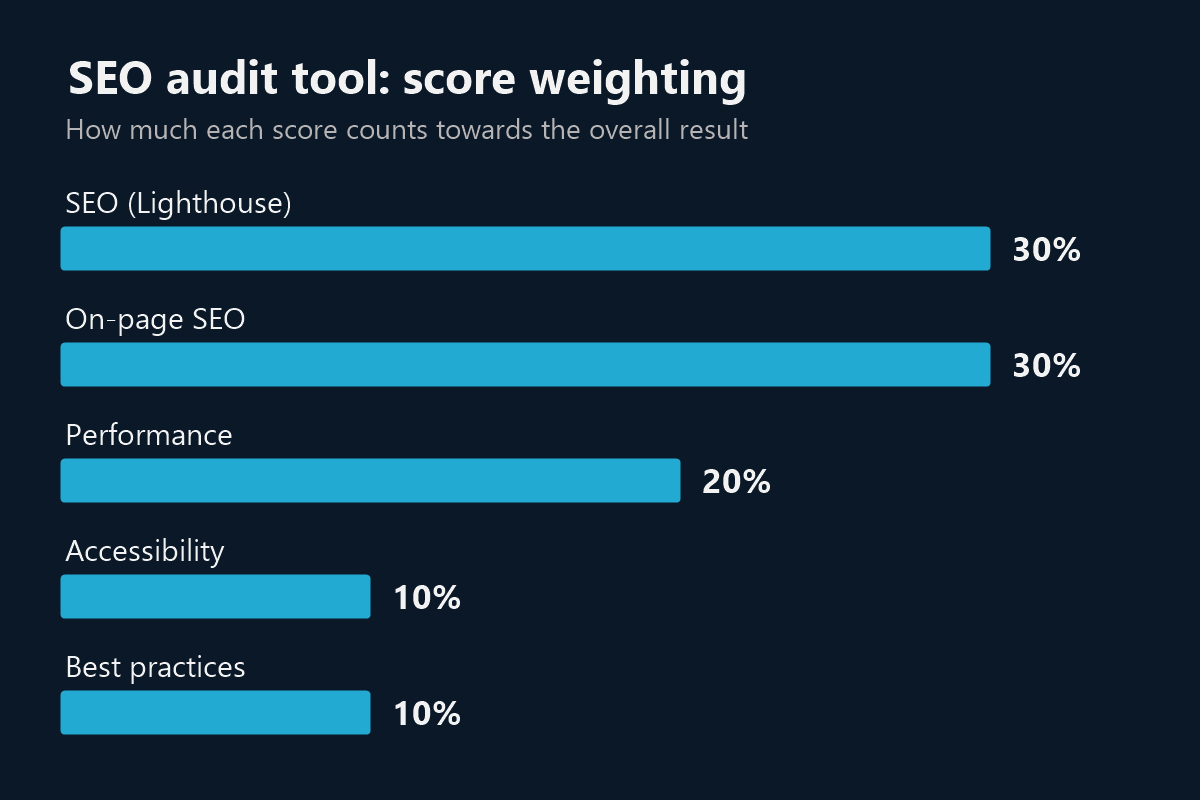
Many tools give you a number without explaining it. Ours is a weighted average of five scores, so you can see exactly what moved it.
SEO and on-page tests count for 60% of the overall score, because they relate most directly to search. Performance counts for 20%, while accessibility and best practices count for 10% each.
If Google can't test a page, we leave that score out and base the result on what we could measure. The report tells you when that happens.
An automated SEO audit tool is a fast first step. It can't replace a person reviewing your whole site and market, so here's when each makes sense.
| This free tool | A full manual audit | |
|---|---|---|
| Coverage | One page at a time, on mobile | Your whole site and key templates |
| Time | About 30 seconds | Agreed with you, based on site size |
| Backlinks and rankings | Not included | Can be reviewed with specialist tools |
| Competitors and keywords | Not included | Can be researched for your market |
| Best for | Quick checks and spotting obvious problems | Planning serious SEO work |
Want the full picture? See our SEO services and how we plan an audit.
Record your starting scores, so you can tell whether the new site has improved things.
Catch a forgotten noindex setting, missing titles or broken basics. Our web development team can help you fix them.
Get a quick picture of a prospect's page before a first call, then confirm the findings yourself.
Rule out technical causes on your key pages before you look at content and competitors.
It uses the Google PageSpeed Insights service, which runs Lighthouse on a mobile device, plus our own tests of your page's HTML, robots.txt and sitemap.
No. It tests mobile only, because Google mainly uses the mobile version of a page for indexing and ranking.
No. It looks at the page itself. Backlinks, rankings and competitor research are part of a full SEO service.
Yes. The tool works on any public web page, and it only reads what's publicly available. It can't test pages behind a login.
Some servers block automated visitors. If ours is blocked, the report says so and shows the results it could still get. It's also worth checking that the block doesn't affect search engines.
Up to about 10 an hour from one connection, which keeps the service available for everyone. Results for a page are saved for up to 6 hours, so re-testing right after a fix may show the earlier result.
Book a free 30-minute call. Share your report and we'll help you decide what's worth fixing first.