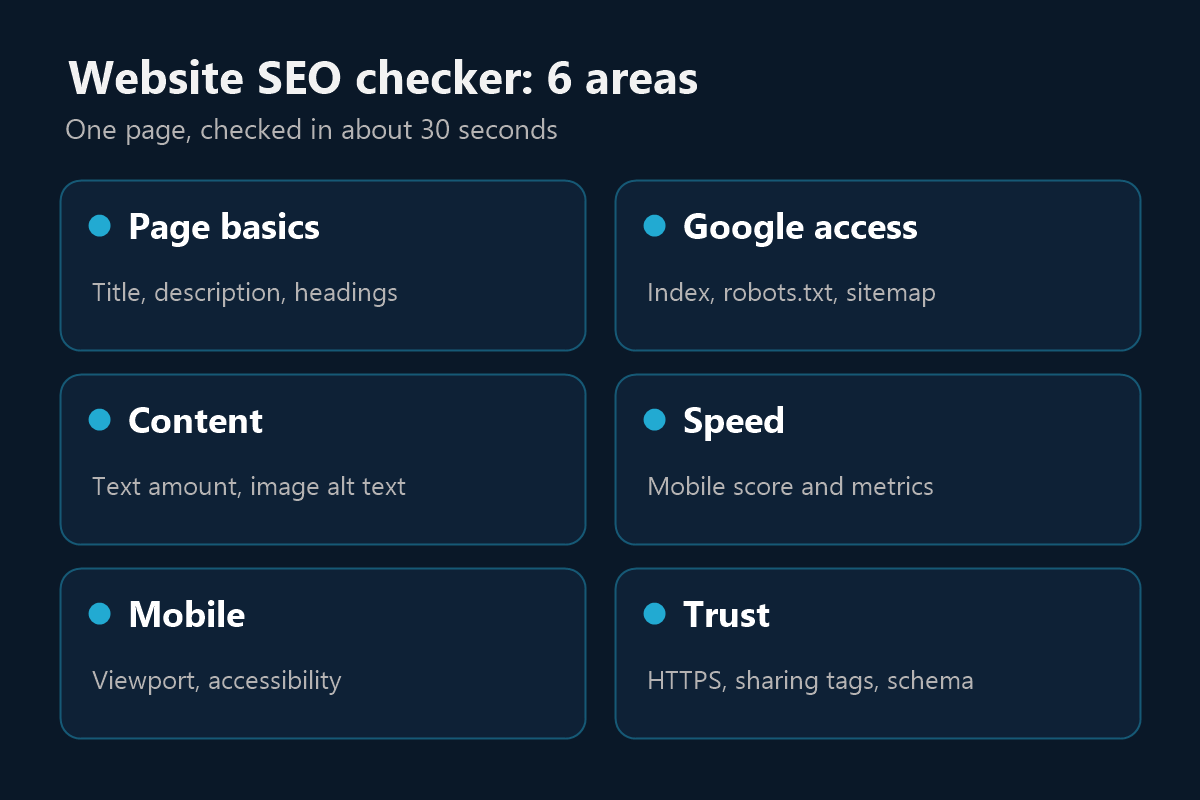
Page basics
The words Google reads first to understand what your page is about.
- Page title length
- Meta description
- H1 and H2 headings

You don't need to know any SEO to use it. The website SEO checker reads your page the way a search engine does, then explains the results in plain language.
The words Google reads first to understand what your page is about.
Whether search engines can find your page and are allowed to list it.
Whether there's enough on the page for Google to work with.
How quickly the page loads on a phone, tested with Google Lighthouse.
How well the page works for every visitor, on any device.
The signals that help people and platforms trust and understand your site.
Type your website address at the top of this page. Start with your homepage or your most important service page.
In about 30 seconds you'll see your overall score, how many issues we found and a mobile screenshot of the page.
Add your email to see every issue with a plain explanation of how to fix it. We'll email you a copy too.
Start with the critical issues, then check again. Results are saved for a few hours, so allow some time before re-testing.
Your score is out of 100. It's a guide to how healthy the page is, not a Google ranking or a score from Google itself.
| Score | Rating | What to do next |
|---|---|---|
| 90 to 100 | Excellent | Keep it up. Fix any small issues and focus on content and links. |
| 75 to 89 | Good | A solid base. Work through the remaining issues, biggest first. |
| 50 to 74 | Needs work | Real issues are likely costing you visibility. Start with the critical items. |
| Below 50 | Poor | Fix the basics first, because other SEO work won't help much until you do. |
A high score means the page is well set up. It doesn't promise a first-page ranking, because rankings also depend on your competitors, your content and your reputation online.
This tool also checks one page at a time, and it doesn't look at your backlinks or keyword positions. So run it on your key pages separately, not just the homepage.
For a deeper look, see how to get cited in Google's AI answers, or ask about our SEO services.
Yes. You see your score without signing up or paying. To unlock the full list of issues and fixes, you add your email address. See our privacy policy for how we handle it.
No. Type your website address and press the button. Each issue comes with a plain explanation, so you can fix it yourself or pass it to your developer.
No. No tool can promise that. A high score means the page is well set up, while rankings also depend on your competition, content quality and backlinks.
It checks the one page you enter, plus your site's robots.txt file and sitemap. Run it again for each important page, such as your service or product pages.
Speed results can vary slightly between runs, because they depend on network and server conditions at the time. Small changes are normal, so watch the overall trend.
Start with anything that stops Google listing the page, such as a noindex setting. Next, fix missing titles and headings, then work on speed.
Got your results and don't want to fix them alone? Book a free 30-minute call and we'll go through them with you.