Optimise images
Large images are a common cause of slow loading, so serve them at the right size and in a modern format.
- Compress and resize
- Use WebP or AVIF
- Lazy-load lower images

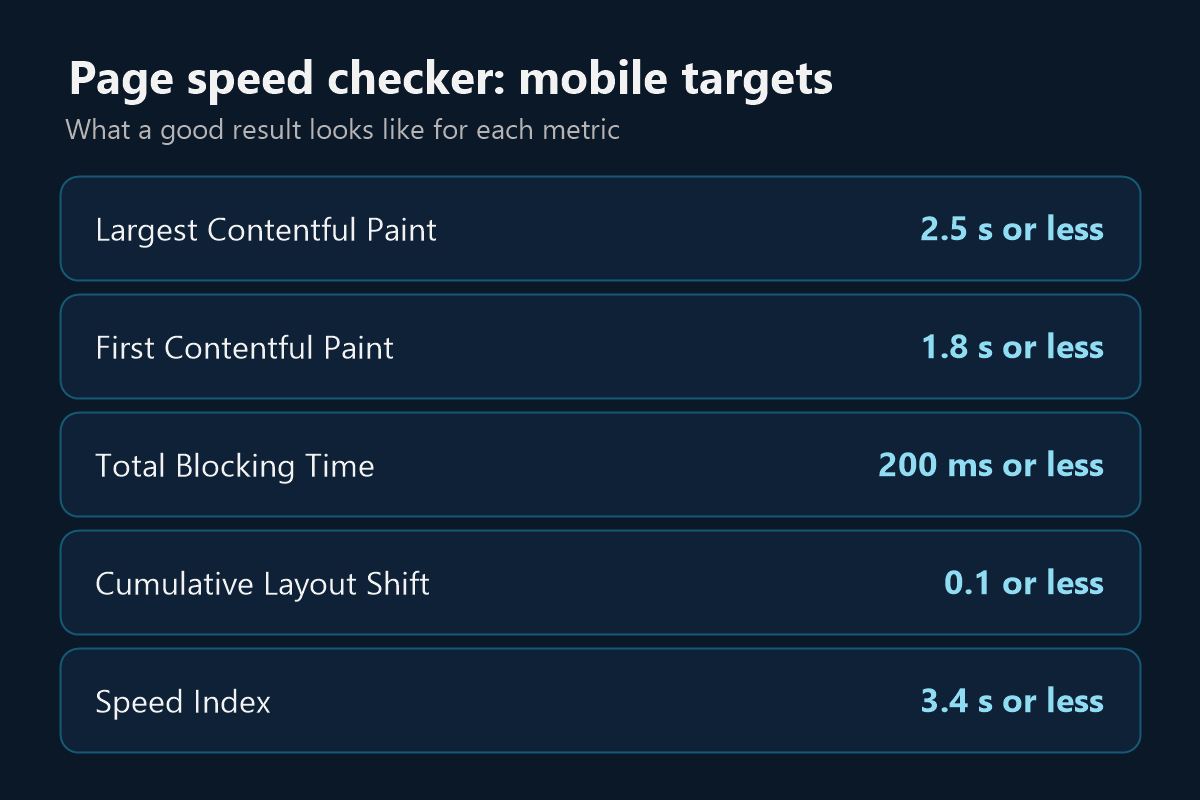
The page speed checker runs Google Lighthouse on a simulated mobile device and reports five timing and stability metrics. Here's what each one means and what to aim for.
| Metric | What it tells you | Good on mobile | Poor on mobile |
|---|---|---|---|
| Largest Contentful Paint (LCP) | When the main content has appeared | 2.5 seconds or less | Over 4 seconds |
| First Contentful Paint (FCP) | When the first text or image appears | 1.8 seconds or less | Over 3 seconds |
| Total Blocking Time (TBT) | How long scripts stop the page responding | 200 ms or less | Over 600 ms |
| Cumulative Layout Shift (CLS) | How much the layout jumps while loading | 0.1 or less | Over 0.25 |
| Speed Index | How quickly the page visibly fills in | 3.4 seconds or less | Over 5.8 seconds |
Targets from Google's Core Web Vitals and Lighthouse scoring guides. Speed scores: 90 to 100 is good, 50 to 89 needs improvement, and 0 to 49 is poor.
This is a lab test: one controlled run on a simulated phone. It's great for finding problems, but it isn't the same as what your real visitors experience on their own devices and connections.
Interaction to Next Paint (INP), the third Core Web Vital, needs real user interactions, so a lab test can't measure it. Total Blocking Time is the closest lab signal.
Scores can also move between runs because of server load, ads and network routing. So don't chase one number. Look at the trend over several tests.
Your report ranks the fixes by impact for your page. These are the ones that come up most often.
Large images are a common cause of slow loading, so serve them at the right size and in a modern format.
Heavy scripts keep the page busy and raise Total Blocking Time.
Files that block rendering delay the first thing a visitor sees.
Saved copies of your pages and files can reach visitors much faster.
If the server responds slowly, every other metric starts late.
Reserve space so content doesn't move while the page loads.
Want the details? Read our website speed optimization guide. Prefer to hand this over? Our support team handles speed work, and our web developers can rebuild pages that are too slow to fix.
Test the pages that matter most, such as your homepage, top service page or a product page.
See your free mobile speed score, Largest Contentful Paint and a count of speed issues.
Add your email to see all five metrics and the fixes ordered by impact, plus your full SEO report.
Results are saved for up to 6 hours, so allow some time before you test the same page again.
Yes. Your mobile speed score is free with no signup. Your email unlocks every metric and fix, and see our privacy policy for how we handle it.
No, it tests mobile only. Mobile is usually the harder test, and Google mainly uses the mobile version of a page for indexing and ranking.
In Lighthouse, 90 to 100 is good, 50 to 89 needs improvement and 0 to 49 is poor. Treat 90 as a target rather than a requirement, because the score depends on the type of page.
Tools use different test devices, locations and connections, and results can vary between runs. Compare tests from the same tool over time.
It's one of many factors, and usually a smaller one than having the most helpful content. A fast page also gives visitors a better experience, so it's worth improving.
You probably have a fast device and connection, and your browser may have saved parts of your site. The test simulates a mobile device on a slower connection, loading the page fresh.
Book a free 30-minute call. Share your results and we'll tell you honestly what's worth fixing.